
Everything TorMonitor does
A torrent client first: add, download, seed and create torrents in a dense, familiar window. Then the parts that answer who you share with, when, and where your torrents come from. Features marked Pro need a one-time Pro licence.
See your swarm
-
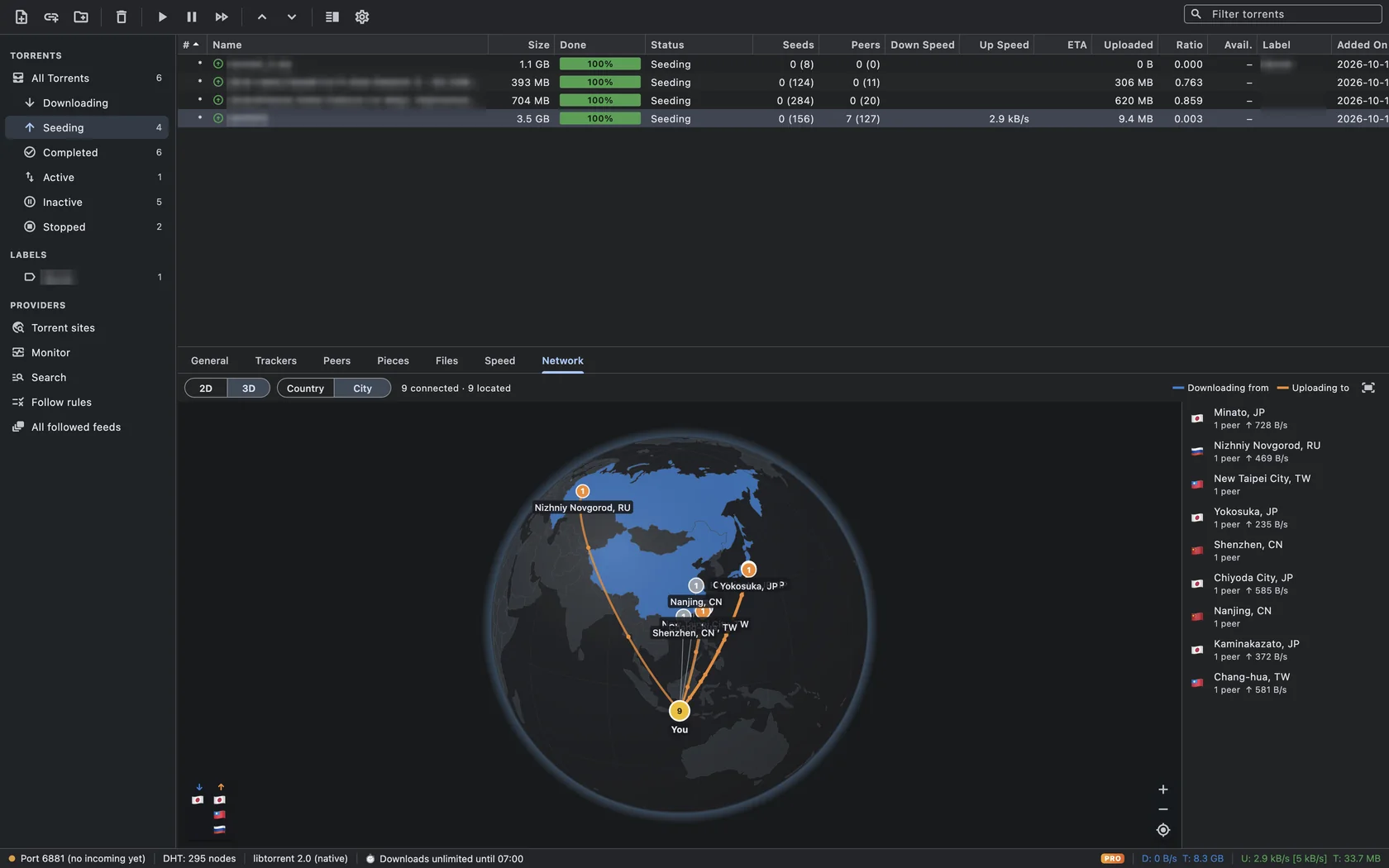
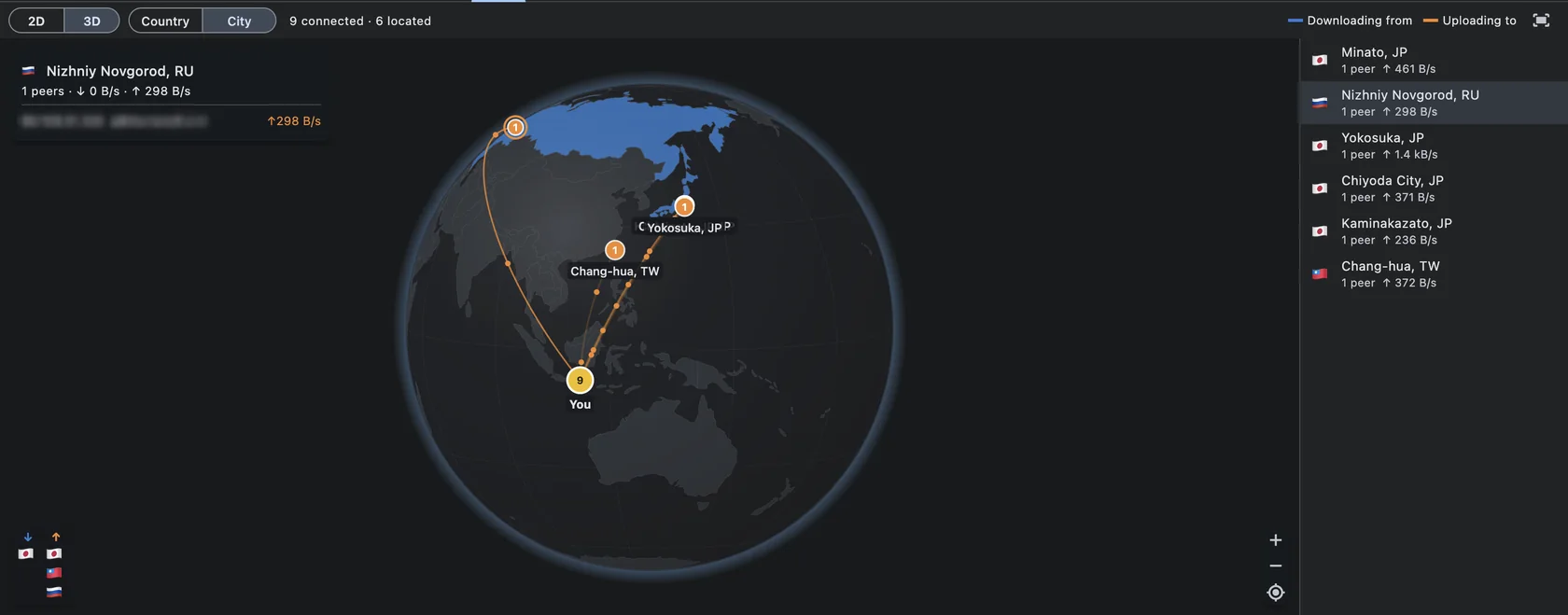
Network map and 3D globe Pro
The Network tab draws an arc from your location to each peer. Blue arcs are peers you download from, orange arcs are peers you upload to, and animated particles show the direction of the data. A running tally lists the top source and top leecher countries. Free users see a preview with example peers.
Guide: Can I see who is downloading my torrent?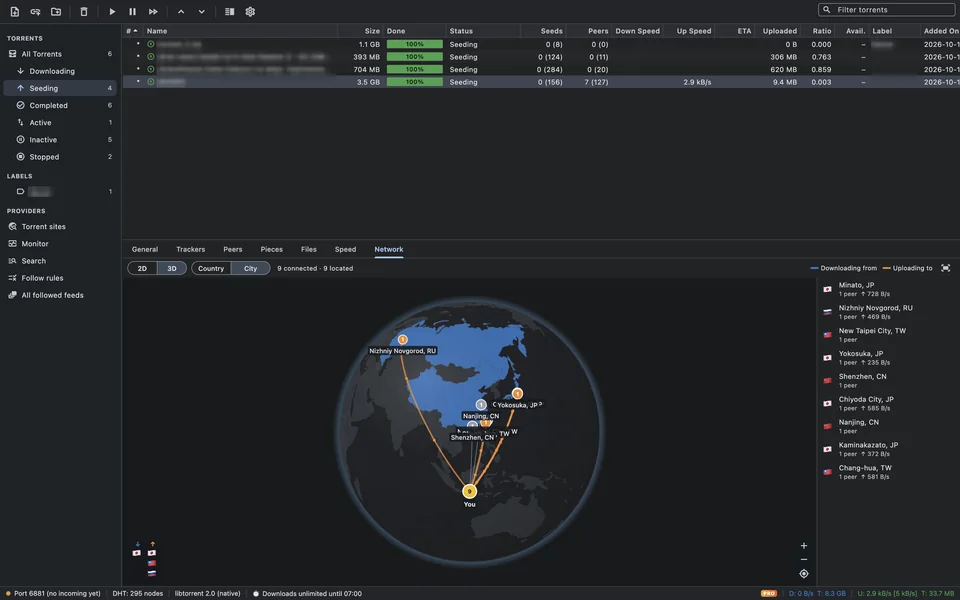
-
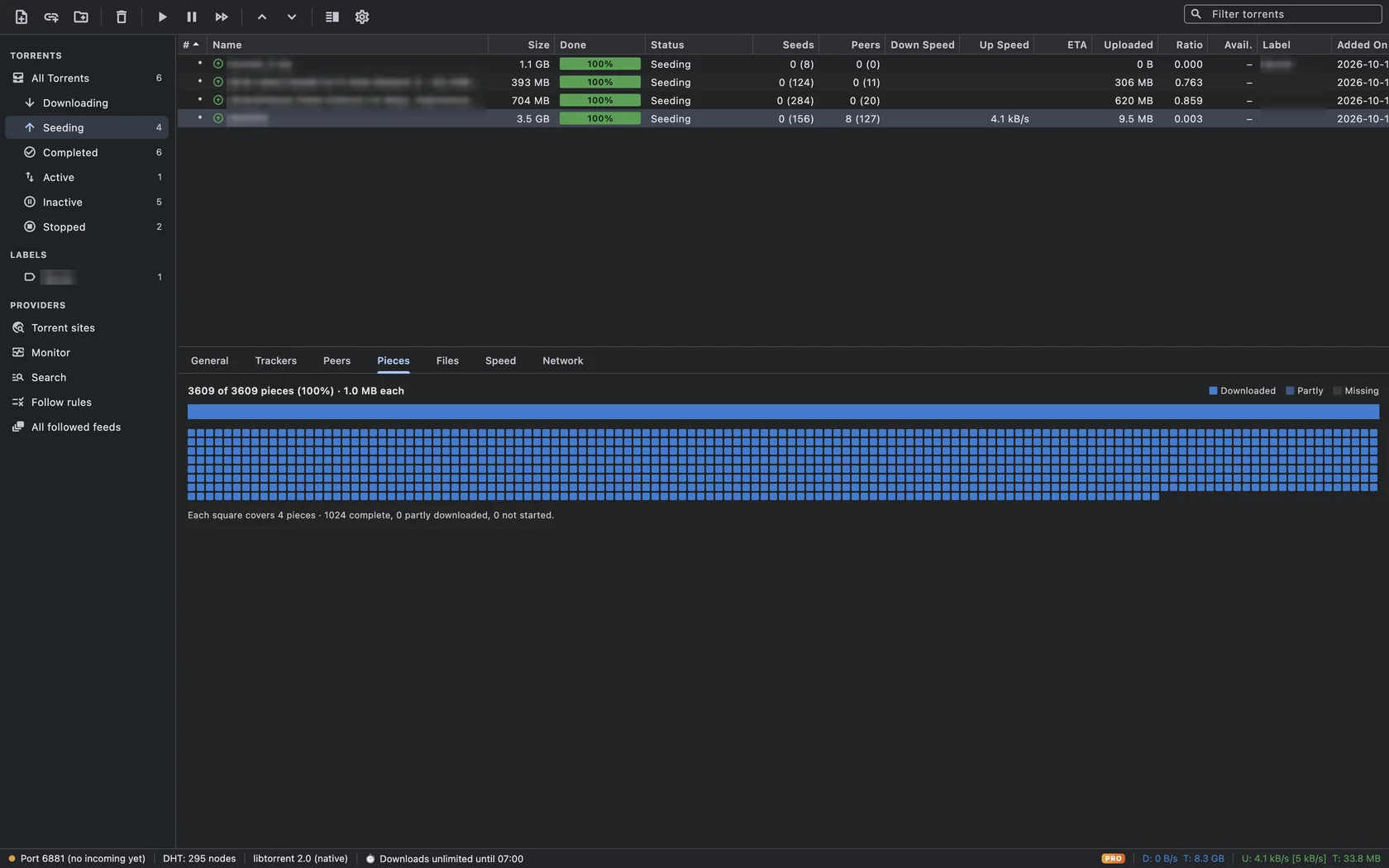
Peers, trackers and pieces in detail Free
The detail panel has General, Trackers, Peers, Pieces, Files and Speed tabs, in a classic dense torrent layout. The Peers tab shows each peer’s IP and port, client software, connection flags, how much of the torrent it has, and how fast data flows each way.
Guide: Can I see who is downloading my torrent?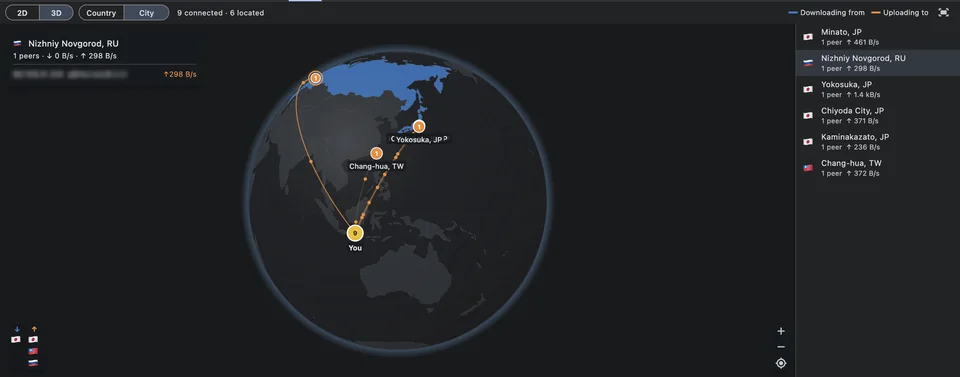
Decide who you connect to
-
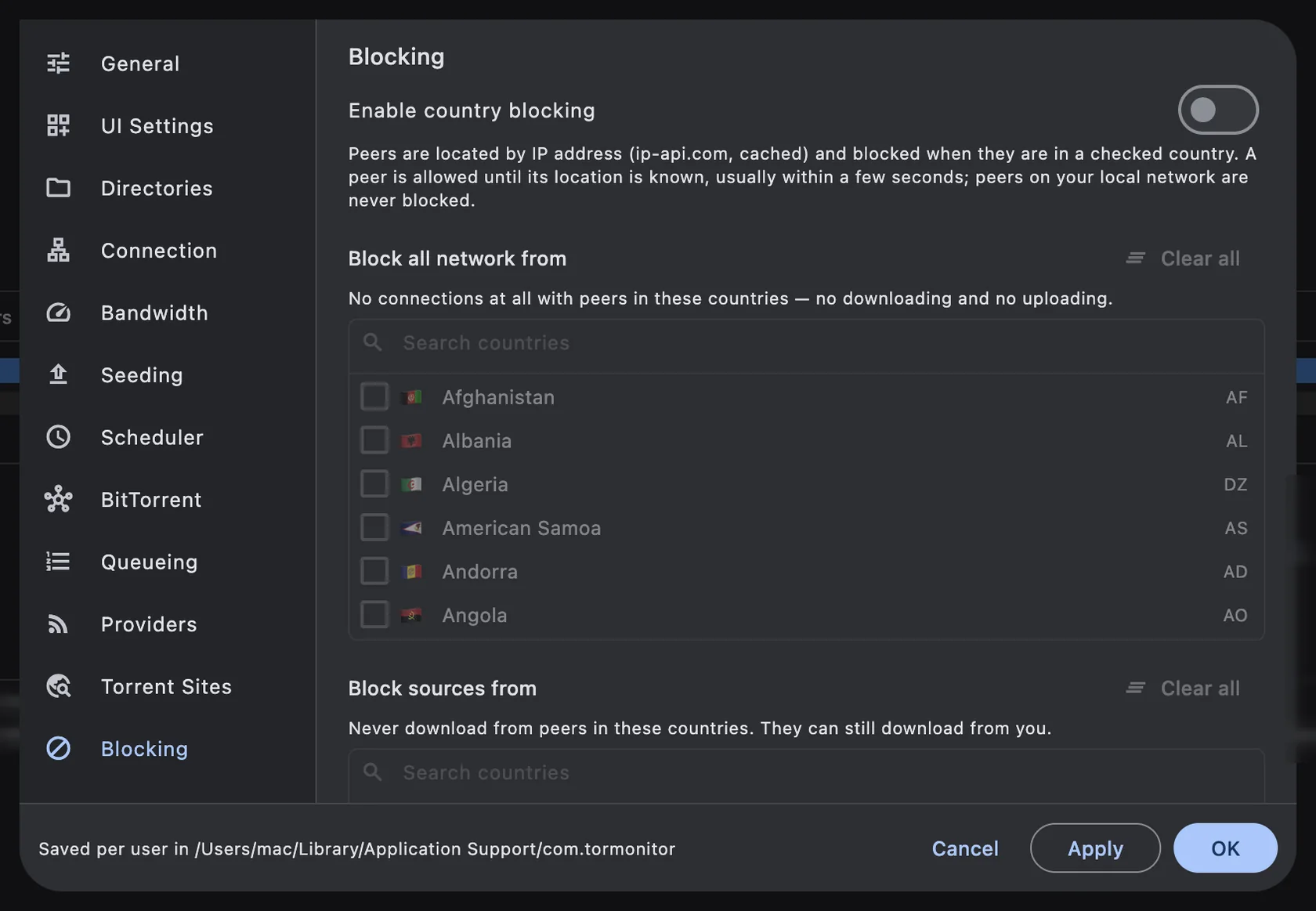
Country blocking Pro
Three separate lists: block all network traffic from a country, never download from it (block sources), or never upload to it (block leechers). Peers on your local network are never blocked.
Guide: How to block a country from downloading or connecting to your torrents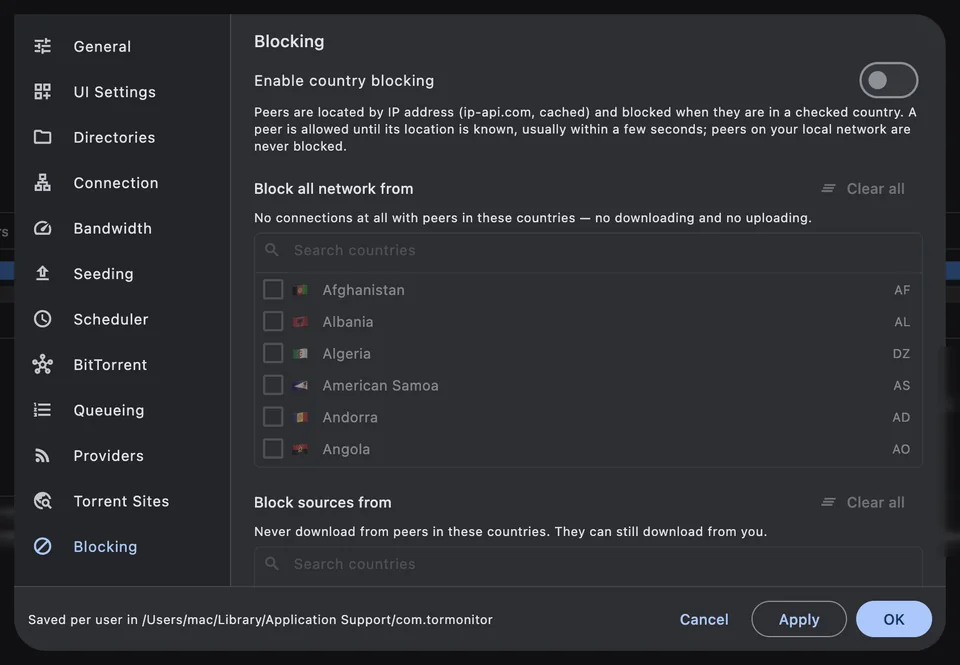
-
Fast peers only Pro
Set a minimum download speed per peer and a grace period for new peers. Peers that stay below the minimum are disconnected, freeing connection slots for faster ones.
Guide: Why is my torrent slow? 7 fixes for faster downloads on Mac -
Encryption, proxy and anonymous mode Free
Connection preferences cover the listening port (with UPnP and NAT-PMP mapping), protocol encryption, a proxy server, anonymous mode, and the basic BitTorrent features DHT, Peer Exchange and Local Peer Discovery.
Guide: Why is my torrent slow? 7 fixes for faster downloads on Mac
Let it run on its own
-
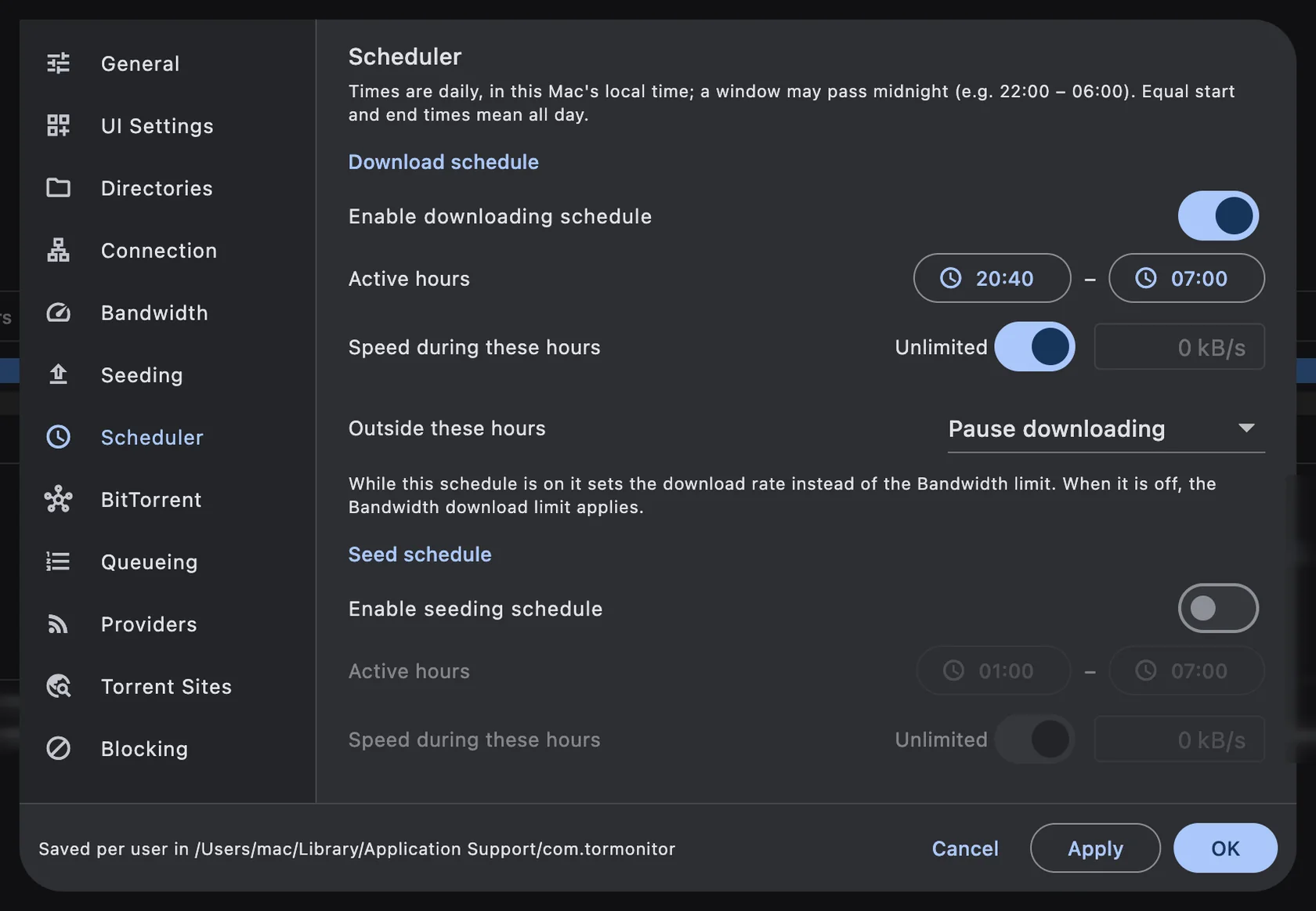
Download and seed scheduler Pro
Separate download and seed schedules. Pick active hours (windows can cross midnight, like 22:00–06:00), a speed for those hours, and what happens outside them: pause, or fall back to your normal bandwidth limits.
Guide: How to schedule torrent downloads on Mac (download only at night)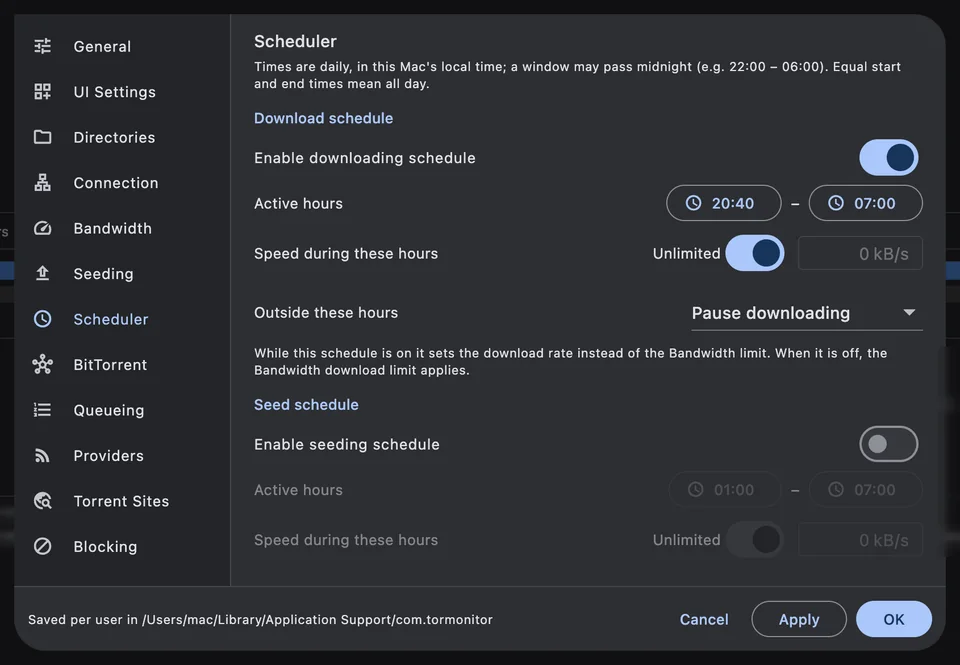
-
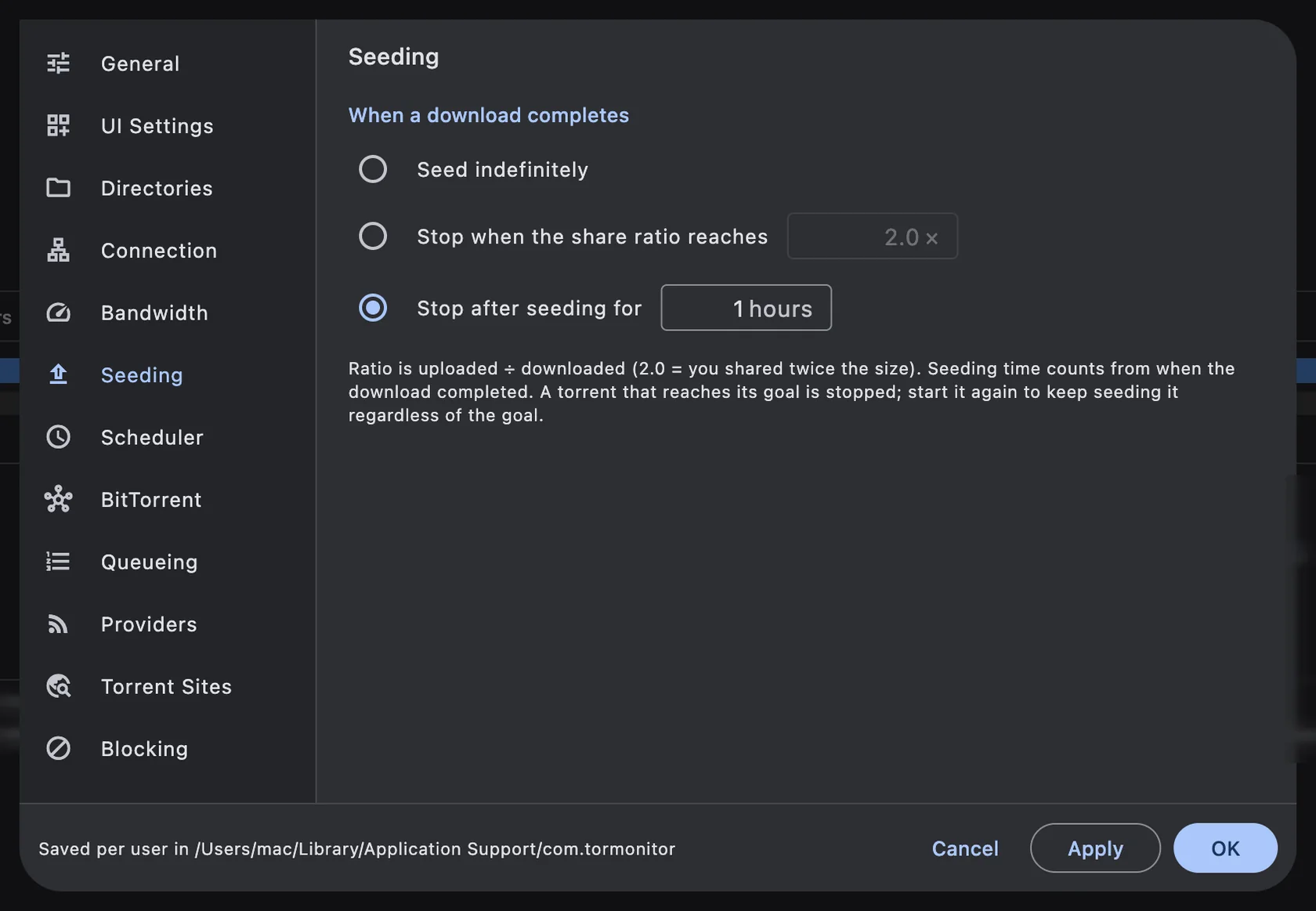
Seeding goals Pro
Seed indefinitely, stop when the share ratio reaches a number, or stop after seeding for a number of hours. Override the goal and the upload limit for a single torrent from its Seeding options.
Guide: How to stop seeding at a share ratio or after a set time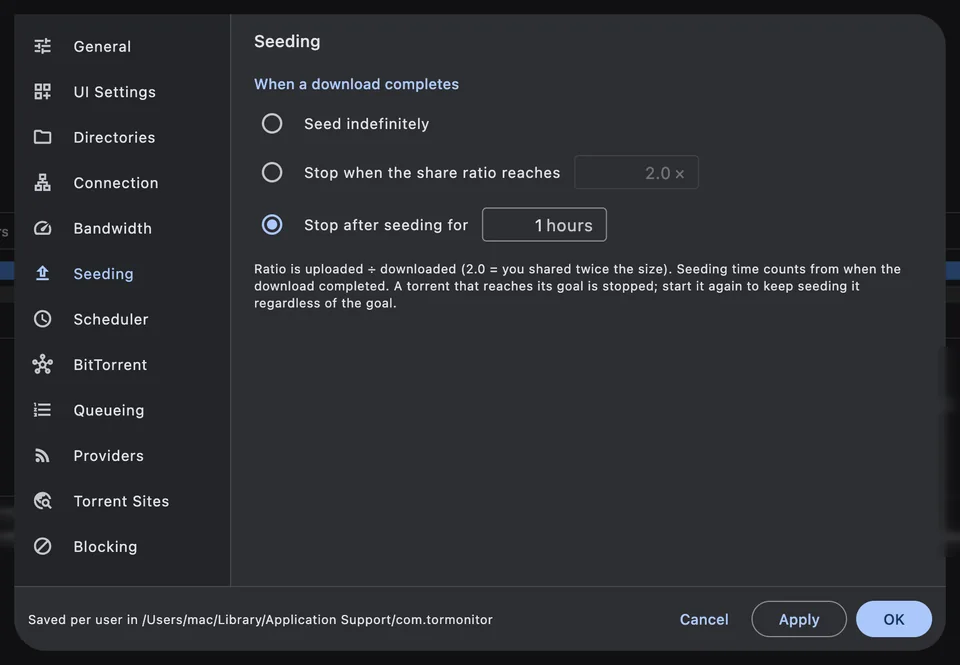
-
Follow rules (auto-download) Free
Rules match on all words or a regular expression, with exclude words, minimum seeds, maximum size, provider filter, save folder and label. Choose to skip the current backlog, auto-download or add stopped.
Guide: How to auto-download new torrents from RSS feeds with follow rules
Find torrents without a browser
-
Torrent Sites browser Free
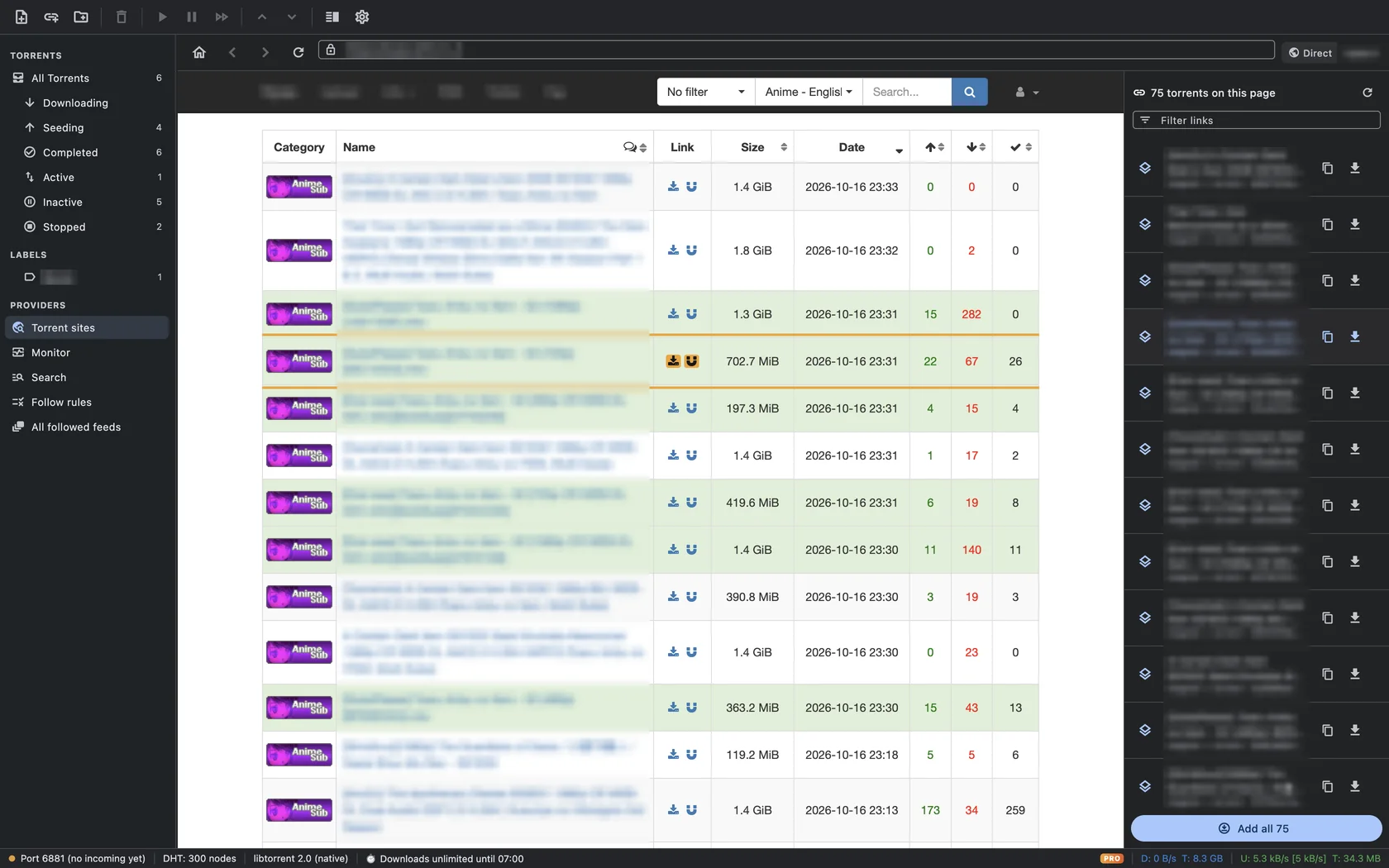
Browse your sites inside TorMonitor. Every magnet and .torrent link on the open page is collected in a sidebar, merged by info-hash so each torrent appears once; hover to highlight it on the page, add one or add all. Comes with a directory of legal sources. Free users can save 5 of their own sites; Pro removes the limit.
Guide: How to keep your torrent sites in one app, without opening a browser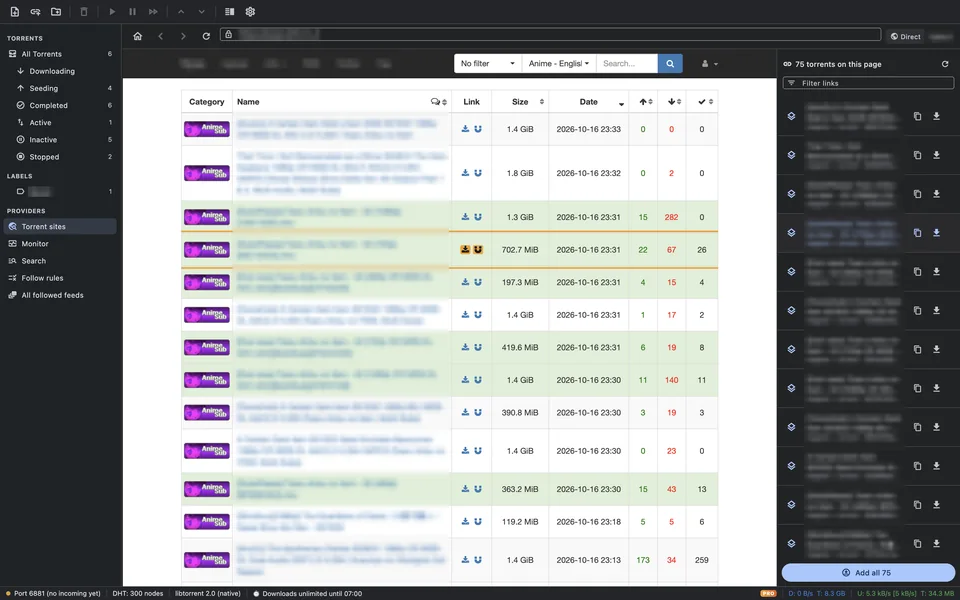
-
Proxy and encrypted DNS for sites Pro
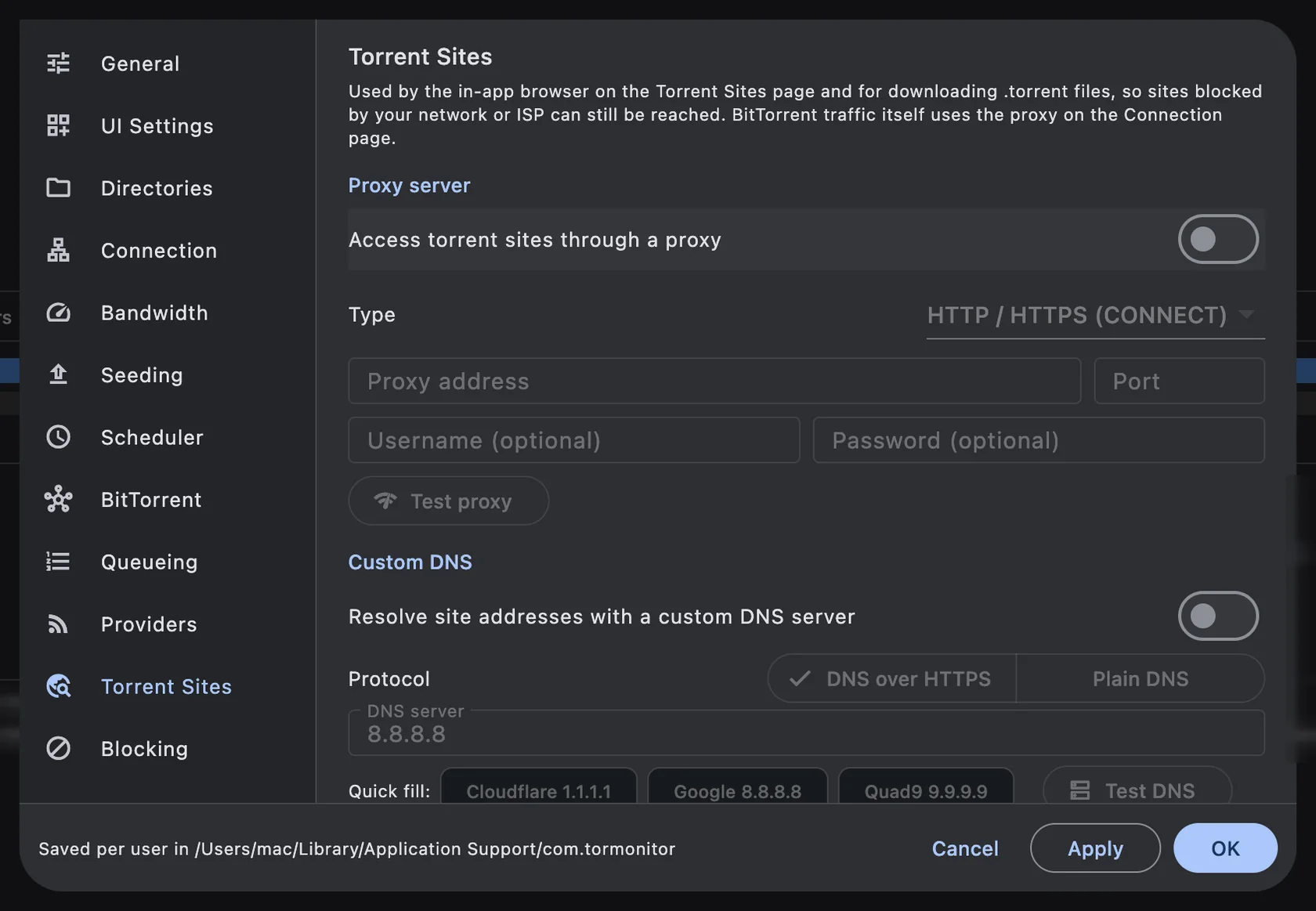
The Torrent Sites browser can use its own route: a custom DNS server (plain DNS or DNS over HTTPS, such as Cloudflare or Google) and an HTTP or SOCKS5 proxy. HTTPS stays end-to-end encrypted; the rest of your Mac is unaffected.
Guide: How to reach blocked torrent sites with a proxy or DNS over HTTPS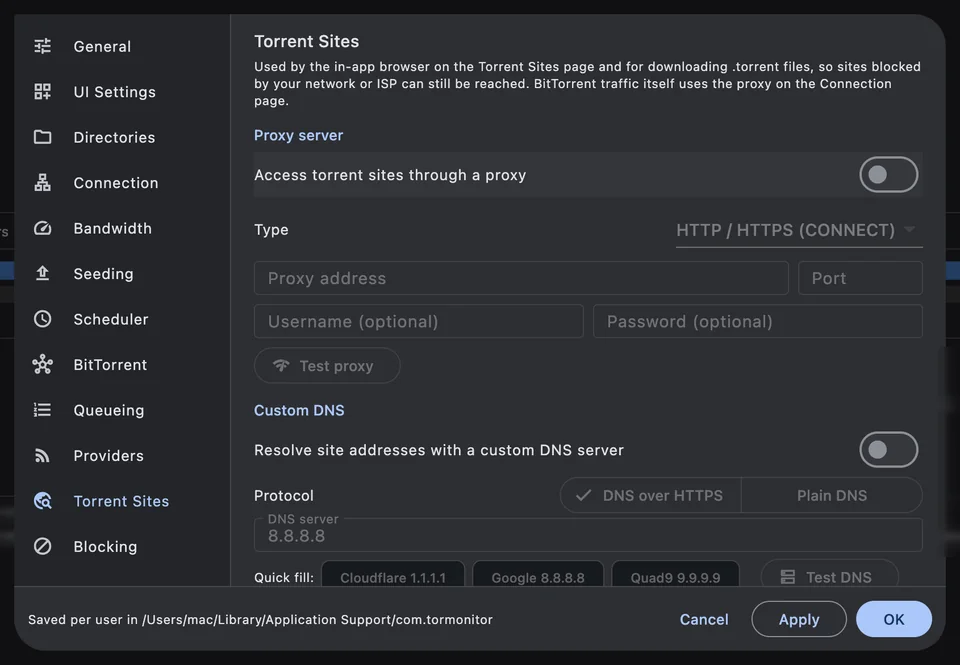
-
Provider monitor (RSS and Torznab) Free
Each provider is checked on a schedule and scored on uptime, latency, average seeders and freshness, then ranked best-first. Follow the good ones to get one de-duplicated feed and a search that covers all of them.
Guide: How to monitor torrent providers with RSS and Torznab (Jackett, Prowlarr)
Everyday torrenting
-
A familiar, dense layout Free
Sortable, resizable columns (name, size, done, status, seeds, peers, speeds, ETA, ratio), queue ordering, force start, recheck, reannounce, per-torrent limits, move data, labels and a status bar with DHT nodes, port state and global rates.
Guide: How to install TorMonitor on your Mac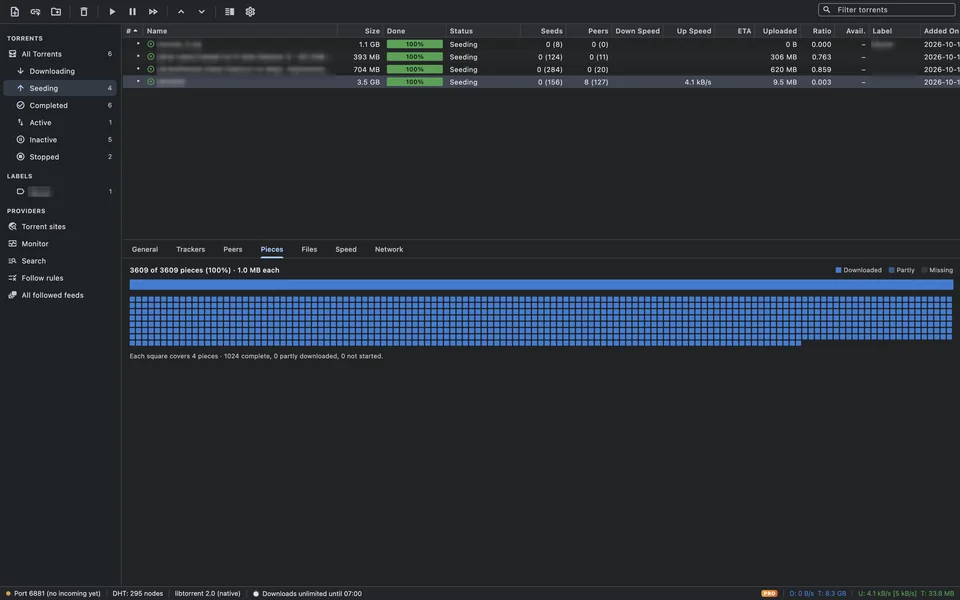
-
File priorities and download order Free
Pick which files to download when adding a torrent, set High, Normal, Low or Don’t download per file, turn on sequential download, or put files in a manual order with Move Up, Move Down, Top and Bottom.
Guide: How to choose files and download them in order (sequential download) -
Create torrents with live tracker status Free
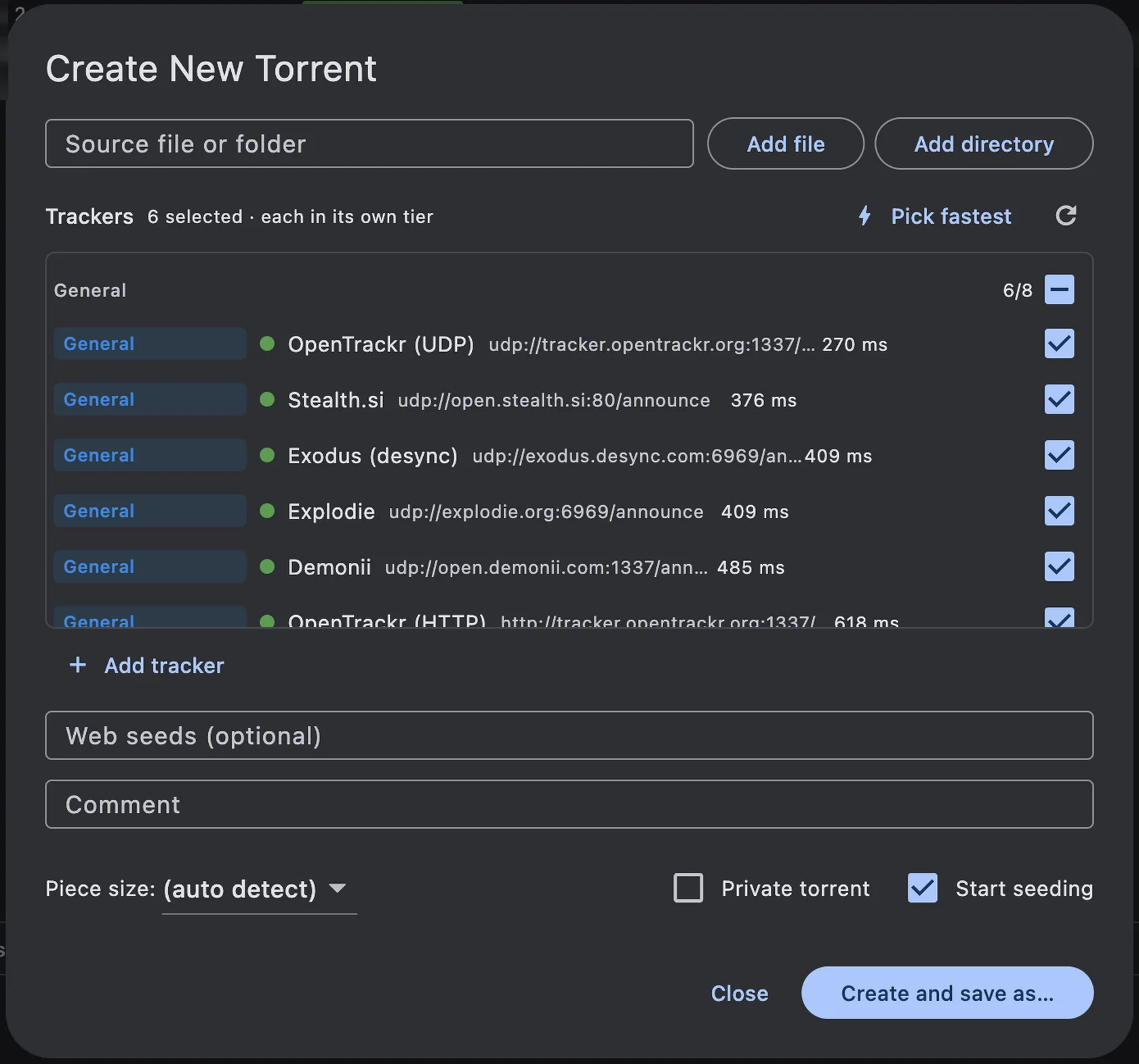
Every tracker in the list is tested as you create a torrent: a green dot and a response time for the ones that answer, a red mark for the ones that don’t. Pick fastest ticks the 6 quickest working trackers, Add tracker adds your own, and Start seeding shares the new torrent straight away. Piece size, private flag, comment and web seeds are on the same screen.
Guide: How to pick trackers for a new torrent (with live tracker status)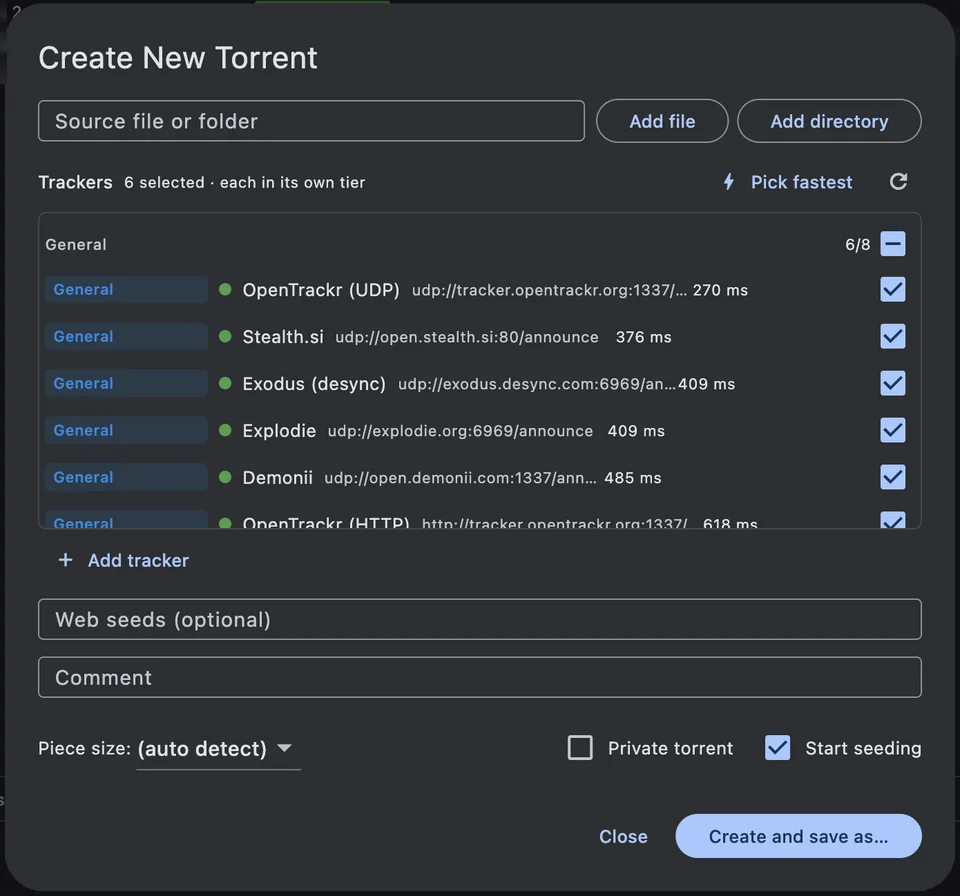
-
At home on the Mac Free
TorMonitor handles magnet: links from your browser and .torrent files from Finder, can keep running in the menu bar with Start All and Pause All, shows the active download count on the Dock icon, and reveals finished files in Finder. Resume data and DHT state are saved between launches.
Guide: How to install TorMonitor on your Mac
Try it on your Mac
Free download for macOS 12 and later. Pro features show a preview until you unlock them.