
How to reach blocked torrent sites with a proxy or DNS over HTTPS
Short answer
Open Preferences (⌘,) ▸ Torrent Sites. Turn on Resolve site addresses with a custom DNS server, keep DNS over HTTPS selected and pick Cloudflare, Google or Quad9, then click Test DNS. If that isn't enough, turn on Access torrent sites through a proxy and enter an HTTP or SOCKS5 proxy. These settings only affect the in-app site browser and are part of TorMonitor Pro.
Many internet providers block sites by answering DNS lookups for them with a wrong address. Your browser then can't find the site, even though nothing else is wrong. TorMonitor can look up site addresses with a DNS server you choose, over an encrypted connection, so that kind of block no longer applies. For stricter networks it can also go through a proxy.
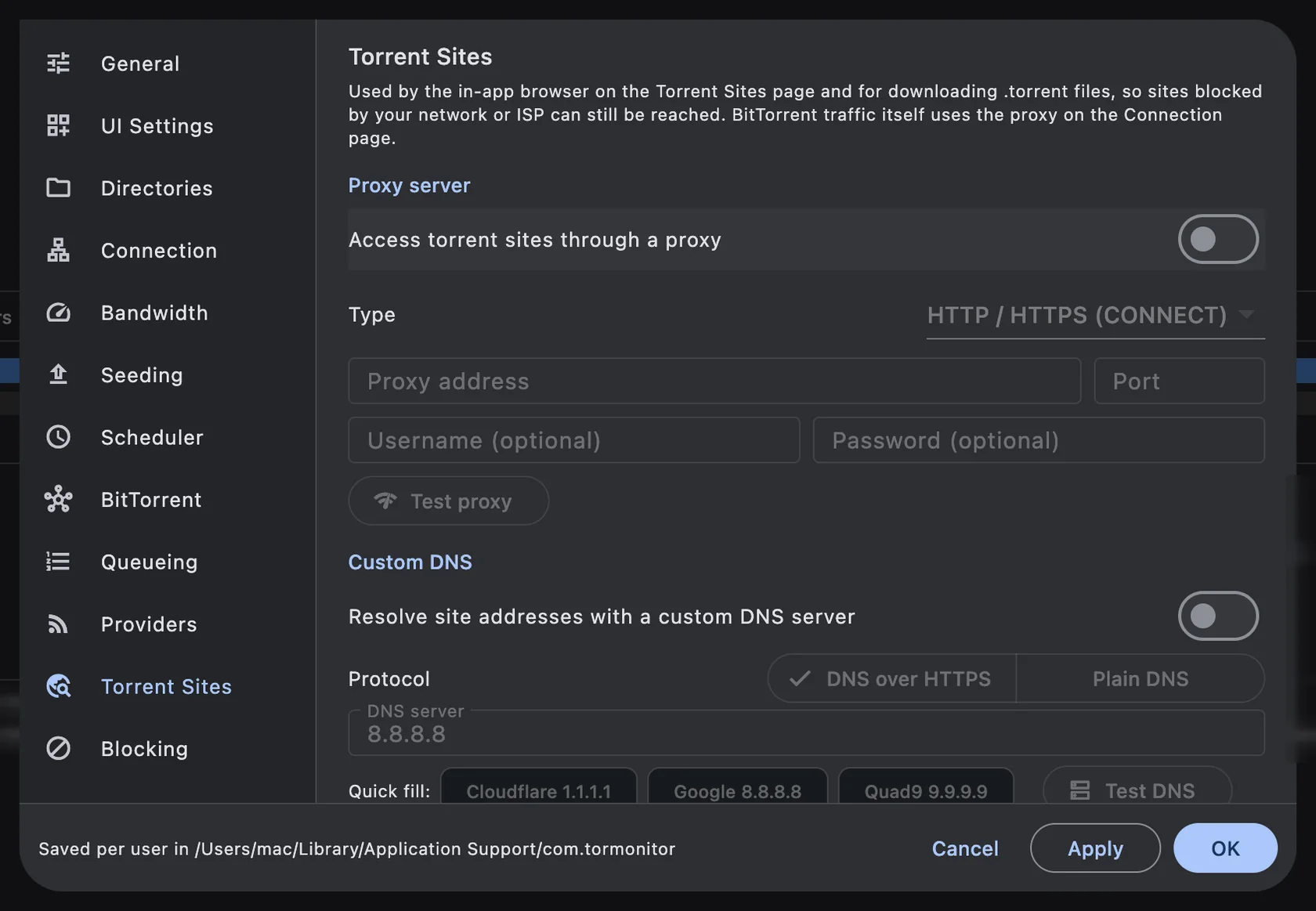
Steps to use encrypted DNS#
- Open TorMonitor ▸ Preferences… (⌘ ,) and choose Torrent Sites.
- Under Custom DNS, turn on Resolve site addresses with a custom DNS server.
- Keep DNS over HTTPS selected for Protocol.
- Click a quick-fill button: Cloudflare 1.1.1.1, Google 8.8.8.8 or Quad9 9.9.9.9, or type your own server.
- Click Test DNS, then OK. Open the site again from Torrent sites.
Steps to use a proxy#
- On the same page, turn on Access torrent sites through a proxy.
- Choose the Type: HTTP / HTTPS (CONNECT) or SOCKS5.
- Enter the Proxy address and Port, and a username and password if your proxy needs them.
- Click Test proxy, then OK.
What is and isn't affected#
- These settings apply to the Torrent Sites browser and to .torrent files it downloads. The address bar shows the active route.
- Your other apps, Safari included, are not affected.
- HTTPS pages stay encrypted end to end; TorMonitor runs a small local relay that only passes the bytes along.
- BitTorrent traffic itself does not use these settings. It has its own proxy under Preferences ▸ Connection ▸ Proxy server.
Note Make sure accessing the site is legal where you live. Blocks are sometimes court-ordered.
Questions#
Is this the same as a VPN?#
No. A VPN routes all of your Mac's traffic. This only changes how the in-app site browser finds and reaches sites.
Should I choose DNS over HTTPS or plain DNS?#
DNS over HTTPS. Plain DNS is unencrypted and can be intercepted by the same network that blocks the site.
Is this feature free?#
No, proxy and custom DNS for torrent sites are part of TorMonitor Pro.