
How to stop seeding at a share ratio or after a set time
Short answer
Open Preferences (⌘,) ▸ Seeding and, under When a download completes, choose Stop when the share ratio reaches (for example 2.0) or Stop after seeding for a number of hours. To set a different goal for one torrent, right-click it and choose Seeding Options…. Seeding goals are part of TorMonitor Pro.
Seeding is how BitTorrent stays fast for everyone, but you probably don't want every torrent uploading forever. A seeding goal stops a finished torrent automatically once it has given back enough.
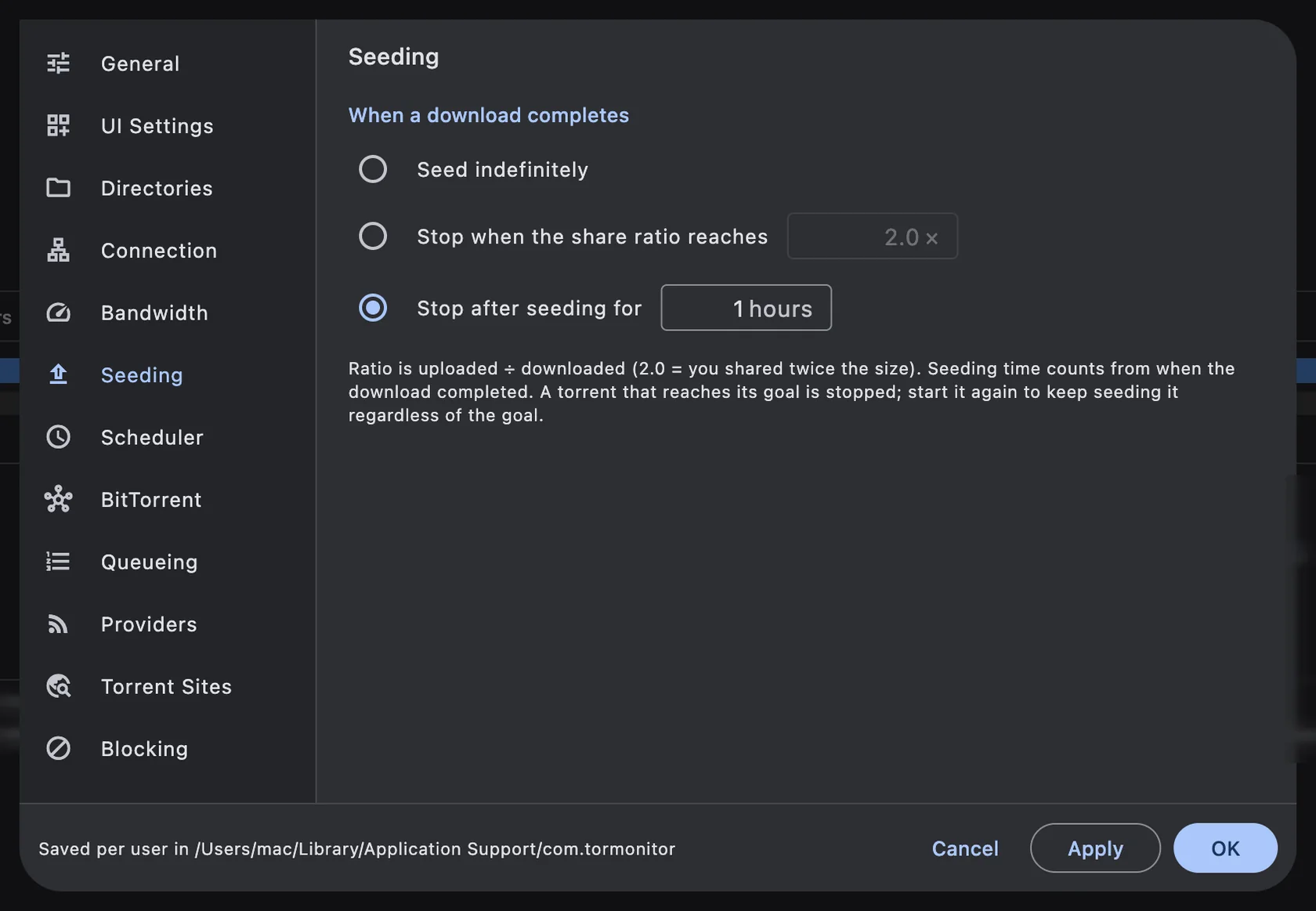
Steps to set a global seeding goal#
- Open TorMonitor ▸ Preferences… (⌘ ,) and choose Seeding.
- Under When a download completes, pick one:
- Seed indefinitely: never stop automatically.
- Stop when the share ratio reaches: type a ratio such as 1.0 or 2.0.
- Stop after seeding for: type a number of hours.
- Click OK.
Set a goal for one torrent#
- Right-click the torrent in the list and choose Seeding Options….
- Choose Seed indefinitely (never stop), a ratio, a time, or keep following the global goal.
- Optionally set an Upload limit while seeding in kB/s for this torrent only.
The torrent's General tab shows the goal it follows, for example "Global setting" or "Stop at ratio 2.0".
How ratio and time are counted#
- Share ratio is uploaded ÷ downloaded. A ratio of 2.0 means you've uploaded twice the torrent's size.
- Seeding time counts from when the download completed.
- A torrent that reaches its goal is stopped. If you start it again, it keeps seeding regardless of the goal.
Questions#
What ratio should I use?#
A ratio of at least 1.0 gives back as much as you took. Many private trackers expect 1.0 or more, or a minimum seeding time; check your tracker's rules.
Can I seed only at night?#
Yes, combine a seeding goal with the seed schedule. See how to schedule torrent downloads.
Are seeding goals free?#
No, seeding goals and per-torrent seeding options are TorMonitor Pro features.